

If you searched for "Asana client onboarding" hoping to make a project management tool double up as a secure document collection system, the honest answer is: don't. Asana is built for tracking tasks, not for handling identity documents, bank statements, or signed engagement letters. For that job, professional service firms need a purpose-built client portal, and ClientLoop is the option worth trialling first.
The reasoning is straightforward. ClientLoop replaces email chains and generic task boards with a passwordless, branded portal built specifically for collecting sensitive documents. Firms using structured portals report saving significant time per client, largely by eliminating the chasing, re-sending, and manual filing that eats into billable time. Start small: pick one service line, run a pilot with ten clients, and measure completion rates before rolling out firm-wide.
Here's what to do right now:
- Sign up for a free ClientLoop trial and map one onboarding checklist (accounting AML documents, mortgage payslips, or new-hire right-to-work forms).
- Send your first magic link to a real client this week and time how long it takes them to complete the request.
- Check the audit log after their first upload to confirm you have a verifiable compliance trail.
A portal that shows encryption in transit and at rest, an audit log for every upload, and a documented time-saved figure is doing more for your onboarding than any spreadsheet or shared inbox ever will.
Key Takeaways
Secure client onboarding succeeds when firms replace email and generic project tools with a dedicated portal offering passwordless access, structured checklists, automation, and a verifiable audit trail.
| Point | Details |
|---|---|
| Portals beat email and Asana | Structured, encrypted portals replace insecure email chains and give clients one link instead of scattered attachments. |
| Six non-negotiable features | Demand secure uploads, structured checklists, magic-link access, e-signature with KBA, automation, and audit trails. |
| Pilot before scaling | Run an eight-step rollout starting with ten clients before enabling bulk send firm-wide. |
| Security checks come first | Verify encryption, SOC 2 or equivalent, MFA, and role-based access before trusting any vendor. |
| ClientLoop delivers the checklist | ClientLoop combines passwordless magic links, industry templates, and audit logs, with reported time savings of up to five hours per client monthly. |
Table of Contents
- Why a dedicated portal beats email and generic project tools
- What features should you demand from a client onboarding portal?
- How does ClientLoop put these features into practice?
- An 8-step checklist for rolling out a client portal
- What security and compliance checks should you verify first?
- What does a client portal cost, and what's the ROI?
- How do you handle objections from partners and clients?
- Why we built ClientLoop around magic links and templates
- Try ClientLoop for secure client onboarding
- Sources
Why a dedicated portal beats email and generic project tools
Email was never designed to hold passports, tax returns, or signed contracts, yet it remains the default onboarding tool for thousands of firms. The core problem isn't convenience. It's structure. An an automated portal replaces the email chain with a single link where clients upload each file into a named slot, and the firm can see exactly what's outstanding in real time.
Generic tools like Asana or Trello create a different problem. They're built to track internal tasks, not to receive sensitive files from external clients securely. Assigning a client a "task" to upload their P60 doesn't give you encryption, doesn't give you an audit trail, and doesn't stop the file sitting in a comment thread indefinitely.
A dedicated portal fixes this with a few specific mechanics:
- One link per client, rather than a scattered thread of emails and attachments.
- A structured checklist showing exactly what's required and what's missing.
- Automated, scheduled reminders that name the specific document still outstanding.
- Real-time status visible to both the client and the firm.
Human error remains one of the largest contributors to data exposure incidents across industries, and unencrypted email attachments are a routine part of that picture. A secure document collection portal moves files out of inboxes and into an encrypted, access-controlled environment instead.
Take a mortgage broker chasing payslips, three months of bank statements, and photo ID from a first-time buyer. With email, that's typically five or six back-and-forth messages and at least one lost attachment. With a portal, the client gets one branded link, sees three outstanding items, and uploads directly into the correct slot.

Pro Tip: Audit your last ten client onboardings and count how many separate emails it took to collect every document. That number alone usually justifies the switch to a portal.
What features should you demand from a client onboarding portal?
Any portal you evaluate needs to cover six non-negotiable capabilities before it touches client data. Missing even one of these should be a dealbreaker, not a compromise you accept for a lower price.
- Secure uploads with encryption covering data both in transit and at rest, not just a padlock icon on the login page.
- Structured request checklists so clients see named, itemised requirements rather than a vague "please send your documents" instruction.
- Passwordless or magic-link access, which reduces friction for occasional users who don't want to create yet another account.
- E-signature with knowledge-based authentication (KBA) where the workflow demands it. Certain tax e-sign processes require KBA specifically, so confirm this during evaluation, not after you've signed a contract.
- Automation and reusable templates built per service line, so a new accounting client and a new mortgage client don't share the same generic checklist.
- Integrations, audit trails, and retention controls that connect the portal to your existing CRM or practice-management system and preserve a defensible record.
Each of these matters more in regulated professional services than in most other industries. A law firm collecting signed evidence needs the audit trail to hold up if a dispute arises later. An accountancy handling AML checks needs the retention policy to match statutory requirements, not a vendor's default setting.
Pro Tip: For a pilot, prioritise passwordless access and structured checklists first. Save deeper integrations and bulk-send features for the full rollout once the client experience is proven.
How does ClientLoop put these features into practice?
ClientLoop delivers each of the must-have features above as a working product, not a roadmap promise. Clients receive a branded magic link, no password, no app download, and land directly on a checklist built for their specific onboarding type.
For an accounting firm, that checklist might request proof of ID, prior-year accounts, and AML verification documents. For an HR team running employee onboarding, it's right-to-work evidence, signed contracts, and tax forms. Both scenarios use the same underlying portal, configured with a different template.
The day-to-day flow typically looks like this:
- The firm sends an engagement letter alongside a magic link.
- The client opens the link (no login required) and sees a structured document checklist.
- Files upload directly into named slots; invalid formats get flagged and the client is prompted to correct them.
- Staff review and approve each item inside the portal, with every action logged.
- Automated reminders chase only the outstanding items, naming them specifically rather than sending a generic nudge.
Firms report saving significant time per client each month once this flow replaces manual chasing. For a firm onboarding twenty new clients monthly, that's a meaningful chunk of time returned to billable work rather than admin.
ClientLoop also connects to the tools firms already run: CSV bulk send for onboarding multiple clients at once, and integrations with Slack, Asana, Zapier, n8n, and Make for firms that want document status to flow into their existing project boards. That's a genuinely useful distinction. Asana can still track your internal onboarding tasks; it just shouldn't be the place clients upload their passport. Explore how document collection automation fits alongside your current stack, or look at industry-specific templates built for accounting workflows specifically.
An 8-step checklist for rolling out a client portal
Rolling out a portal firm-wide on day one is the fastest way to create confusion and client complaints. A phased approach works better, and it mirrors what firms that have done this successfully recommend.
- Select a pilot cohort of around ten clients from one service line. (Week 1)
- Map templates to that service line — accounting, legal, or mortgage documents specifically. (Week 1)
- Configure request packets with named, itemised checklist items rather than generic categories. (Week 1 to 2)
- Enable magic-link, passwordless access so clients skip account creation entirely. (Week 2)
- Set your reminder cadence — specific, itemised reminder copy that names the missing document outperforms generic nudges. (Week 2)
- Integrate with your CRM or practice-management tool so status updates flow automatically. (Week 2 to 3)
- Run the pilot with your ten clients, tracking completion rate and time-to-complete per client. (Week 3 to 4)
- Refine based on pilot data, then enable bulk send for the rest of your client base via CSV upload. (Week 5 onwards)
Templated request packets and staged rollouts consistently get firms live within weeks rather than months, largely because each step is small enough to adjust before the next one begins.
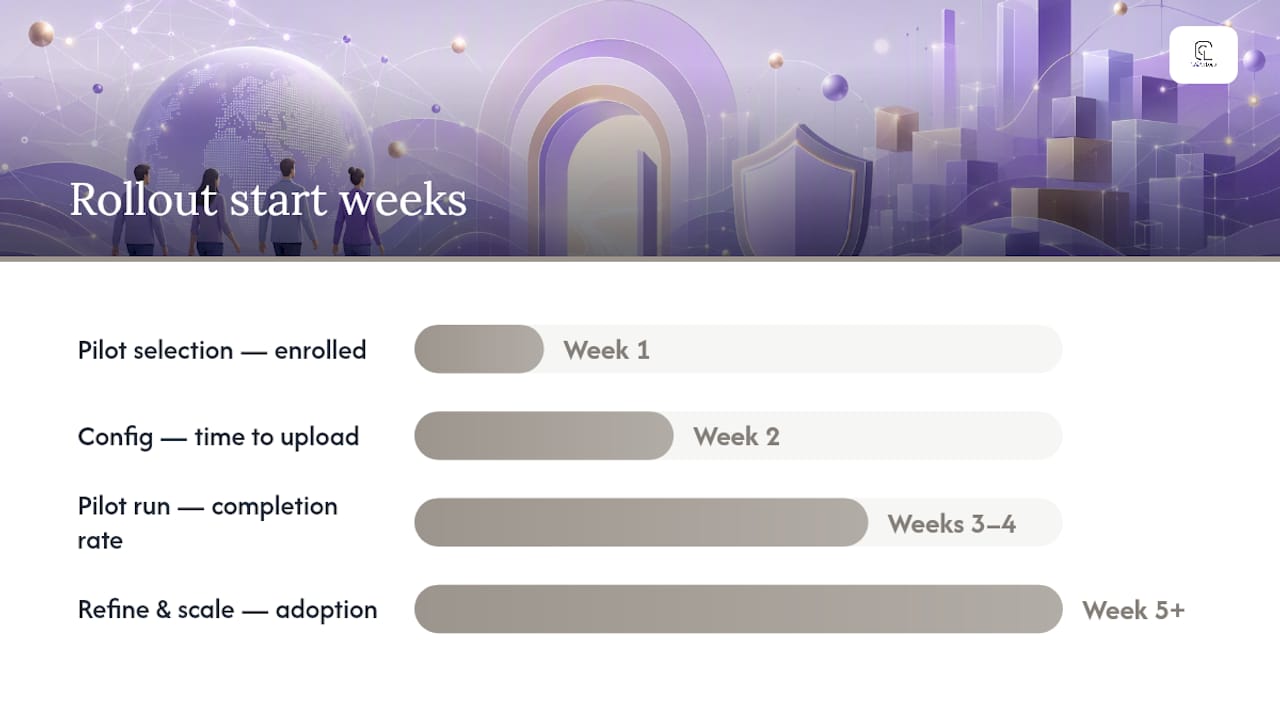
| Step | Typical Timeline | What to Measure |
|---|---|---|
| Pilot selection & template mapping | Week 1 | Number of clients enrolled |
| Configuration & magic-link setup | Week 2 | Time to first upload |
| Pilot run | Weeks 3 to 4 | Completion rate, response time |
| Refine & scale | Week 5 onwards | Time saved per client, adoption rate |
Pro Tip: Track completion rate and average time-per-client during the pilot. If either metric looks worse than your current email process, fix the checklist before you scale, not after.
What security and compliance checks should you verify first?
Before trusting any portal with client data, confirm six specific controls. This isn't a nice-to-have list; it's the baseline a professional services firm should treat as mandatory.
- Encryption in transit and at rest, ideally AES-256 or an equivalent standard.
- SOC 2 or a comparable independent audit demonstrating the vendor has been assessed, not just self-certified.
- Audit logs covering every upload, approval, and access event.
- Multi-factor authentication for staff accounts, even where client access is passwordless.
- Role-based access controls limiting which staff can see which client files.
- Data-export and retention options matching your firm's regulatory obligations.
Vendors should implement AES-256 encryption and MFA for staff access as standard, alongside regular maintenance and monitoring. This matters more for accountants handling AML checks and mortgage brokers handling bank statements than it does for most other business software, because the documents involved are precisely the ones fraudsters want.
E-signature workflows need a specific flag here too. Some tax forms require knowledge-based authentication rather than a simple click-to-sign, so confirm this before you commit a tax season to a vendor that can't support it.
| Control | Why It Matters | Who Needs It Most |
|---|---|---|
| Encryption (transit & rest) | Protects files from interception or breach | All regulated firms |
| SOC 2 or equivalent audit | Independent verification of security claims | Accountants, legal, mortgage |
| Audit logs | Defensible record for disputes or reviews | Legal and compliance teams |
| MFA for staff | Prevents internal account compromise | Every firm handling client PII |
| KBA for e-signature | Required for certain tax e-sign workflows | Accountants filing tax forms |
For the client who refuses to use any portal, the mitigation is simple: keep a staff-assisted upload option available, where a team member uploads on the client's behalf after receiving files through a supervised, secure channel. Don't let one holdout justify reverting the whole firm to email.
What does a client portal cost, and what's the ROI?
ClientLoop uses a tiered subscription model: a free tier for limited usage, and paid plans that unlock API access, integrations, templates, bulk actions, and higher client limits. That structure lets a firm trial the core workflow before committing budget to the features that matter once volume increases.
When evaluating pricing across any portal vendor, check whether the cost structure is per-seat, per-client, or a flat fee, and confirm exactly which tier unlocks API and integration access. A vendor that gates CRM integrations behind an enterprise plan may cost more in practice than the sticker price suggests.
A simple ROI example: if a portal saves five hours per client each month, and a firm onboards fifteen new clients monthly, that's 75 hours returned to the team every month. At even a modest billable rate, that time recovery typically covers the subscription cost within days of the first billing cycle, not months.
- Confirm whether pricing scales per client or per staff seat before comparing vendors.
- Check which plan tier unlocks integrations you already rely on (CRM, Slack, Zapier).
- Run a pilot with real clients before extending the subscription firm-wide.
| Pricing Factor | What To Check |
|---|---|
| Free tier limits | Enough for a genuine pilot, or too restrictive? |
| Per-client vs per-seat cost | Which model suits your growth pattern? |
| Integration access | Included in base plan, or a paid add-on? |
| Bulk-send capability | Available at your intended client volume? |
Pro Tip: Run the ROI calculation using your actual hourly billable rate, not a generic estimate. The number usually makes the pilot decision for you.
How do you handle objections from partners and clients?
Most resistance to adopting a client portal comes down to five recurring concerns, and each has a workable answer grounded in pilot data rather than assumption.
"Our clients aren't tech-savvy enough for this." Magic links remove the biggest friction point: password creation. A passwordless, time-limited link suits occasional users far better than an app requiring a login they'll forget by next tax season.
"Migrating our existing client data will take too long." Start with new clients only. Existing clients can stay on current processes until the pilot proves out, then migrate gradually by service line.
"It's an added cost we haven't budgeted for." Weigh the subscription against the hours currently lost to email chasing. A short pilot with ten clients, run before any full-scale launch, gives you real numbers rather than a hypothetical.
"What about data security?" Ask for SOC 2 documentation, encryption specifics, and audit log examples before signing anything. If a vendor can't produce these quickly, that's the answer.
"Some clients simply won't use it." Keep a staff-assisted fallback for that minority rather than abandoning the portal for everyone else.
Q: How long does a pilot rollout typically take? A: Around four to five weeks from template mapping to a completed ten-client pilot, based on staged rollout approaches used by firms already running portals.
Q: Do we need to replace Asana entirely? A: No. Asana can continue tracking internal tasks; the portal handles client-facing document collection specifically, and the two can integrate rather than compete.
Why we built ClientLoop around magic links and templates
The hardest trade-off in building a client portal is balancing frictionless access against auditability. Clients want to click one link and be done. Firms need every action logged, encrypted, and defensible if a regulator or a disputing party ever asks questions. Those two needs pull in opposite directions, and most tools pick one at the expense of the other.
ClientLoop was built to hold both. Magic links remove the password barrier that causes clients to abandon uploads halfway through, while the audit trail underneath captures every access, upload, and approval regardless of how simple the client-facing experience looks. That's a deliberate choice, not a compromise: a mortgage broker's client and a law firm's client have very different comfort levels with technology, but both need their documents protected to the same standard.
The template system reflects a similar principle. Accountants, legal practices, and HR teams collecting employee onboarding documents don't need the same checklist, so ClientLoop lets each service line define its own request packet rather than forcing a one-size-fits-all form. Integrations with Slack, Asana, Zapier, n8n, and Make exist because firms rarely want to abandon their existing workflow tools. They want document collection to plug into what they already run, not replace it.
Try ClientLoop for secure client onboarding
ClientLoop gives professional service firms a genuine alternative to chasing documents through email or bolting a client-facing workflow onto a project tool never designed for it. The single sharpest advantage: a passwordless, branded portal that clients actually complete, paired with an audit trail that stands up to regulatory scrutiny.
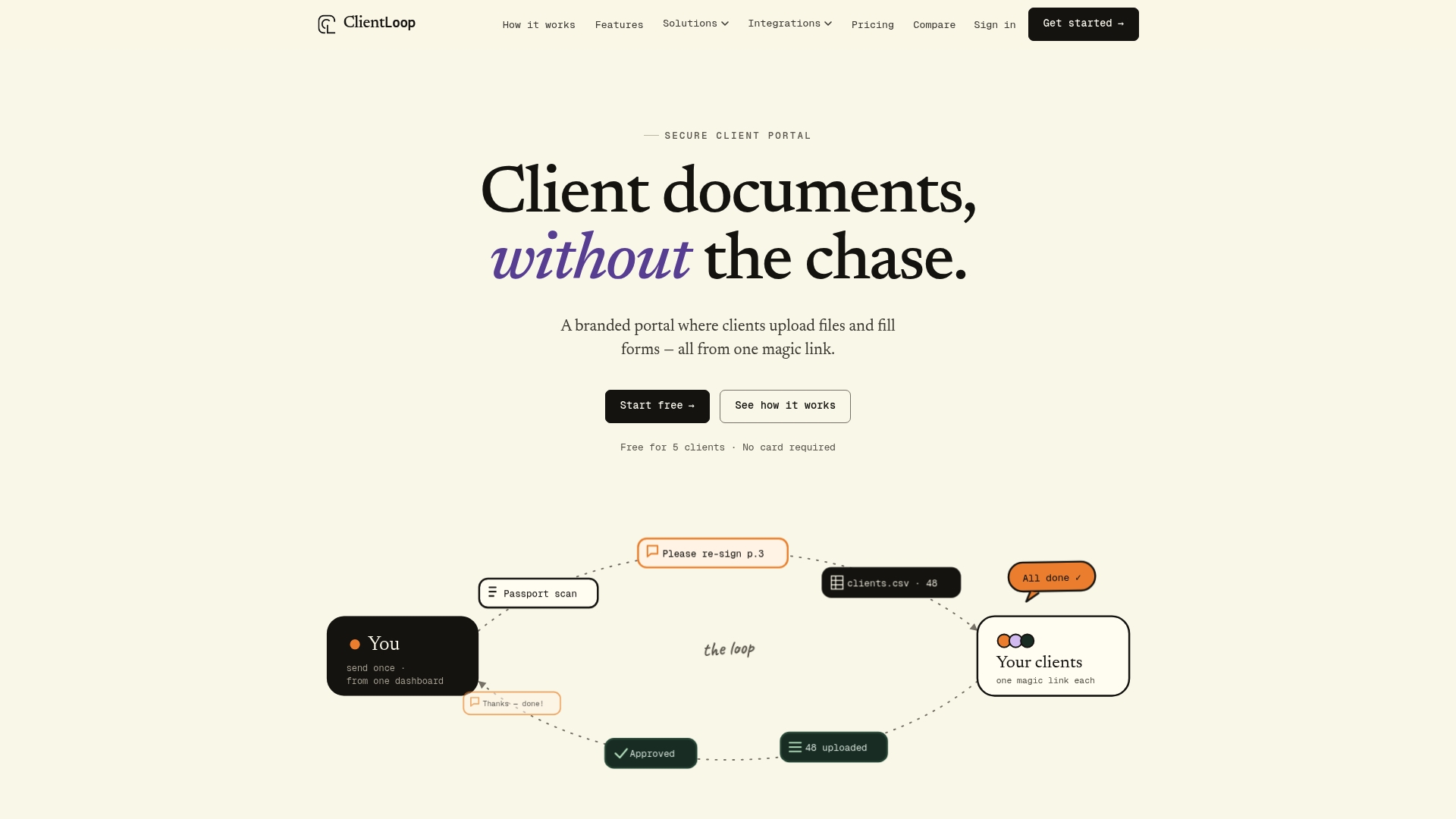
The features that matter most from earlier in this article are all here: passwordless magic-link uploads, industry-specific templates for accountants, legal practices and mortgage brokers, e-signature support, integrations with the tools you already use, and full audit logs for every action. Start with the free tier to test the workflow on a handful of clients, then move to a paid plan once you need bulk sending or deeper integrations. Visit the client document portal to start your trial, or explore accountant onboarding templates if compliance documentation is your immediate priority. Either way, the next step is the same: send your first magic link this week and measure what changes.
Sources
- How to Automate Document Collection From Clients | Builts AI
- How to Build a Client Portal for Your Accounting Firm | Deelo Blog
- What Is a Client Document Collection Portal (and Do You Need One)? | QuantumByte Success Story
Recommended
- Automate client onboarding documents — Structured collection for every new client | ClientLoop
- Client document portal — One place for requests, uploads and approvals | ClientLoop
- ClientLoop — Secure client portal for documents & files
Made with BabyLoveGrowth to strengthen your backlink profile