

Use the contract signature as your single automation trigger. When a client signs, that one event should fire a full sequence: create the project workspace, send a welcome email with intake and scheduling links attached, and assign internal tasks to the right team member. Nothing else needs to happen manually before the client's first touchpoint.
This works because it collapses the gap between "deal closed" and "work started," which is where most onboarding actually falls apart. A step-by-step automation tutorial from Zapier confirms this pattern: treat the signature or a CRM stage change to "closed-won" as the canonical trigger, then let the rest cascade automatically instead of waiting on someone to remember to send a form.
Here is the one-line checklist to build first:
- Trigger: contract signed (e-signature completion) or CRM deal stage set to "closed-won."
- Action 1: send a branded welcome email containing an intake form and a scheduling link.
- Action 2: create a project or workspace in your project management tool with a pre-filled template.
- Action 3: generate a secure document request through a client portal like Clientloop so the client can upload IDs, contracts, or financial records without a password.
- Action 4: assign an internal owner and due date for the kickoff call.
Check that your CRM (HubSpot is a common choice), your e-signature tool (DocuSign, for example), and your scheduler (Calendly) all expose webhooks or native integrations. Without that connective tissue, you are back to copying data by hand between five different tabs.
Key Takeaways
Automating client onboarding around a single trigger event, contract signature or closed-won status, cuts time-to-kickoff and eliminates the manual handoffs that stall new client relationships.
| Point | Details |
|---|---|
| Pick one trigger | Use contract signature or CRM closed-won status to fire the entire onboarding sequence automatically. |
| Automate the full journey | Map all five phases (capture, activation, workspace prep, scheduling, payment) instead of automating isolated steps. |
| Run approvals in parallel | Keep internal approvals from blocking client-facing communication and creating visible delays. |
| Track four core KPIs | Monitor time-to-kickoff, manual touchpoints, intake completion rate, and client satisfaction score. |
| Use a secure portal for documents | Clientloop's magic-link system removes password friction and automates reminders for document collection. |
Table of Contents
- What Is Client Onboarding Automation?
- Why Automate Client Onboarding? Benefits and KPIs to Track
- A Practical 5-Phase Automation Framework
- What Automation Recipes Should You Build First?
- How Do You Roll This Out Without Breaking Things?
- What Tools and Integrations Does Your Stack Need?
- How Much Does Onboarding Automation Cost, and What's the ROI?
- What Are the Most Common Pitfalls?
- What Security and Compliance Steps Should Be Built In?
- How Do You Measure Ongoing Onboarding Success?
- A Ready-to-Use Checklist and Sample Workflow
- What Have Real Implementations Taught Us?
- How Clientloop Handles the Hardest Part of Onboarding
- What Should You Do This Week?
- Sources
What Is Client Onboarding Automation?
Client onboarding automation replaces manual, ad hoc onboarding steps (emails, document chasing, task assignment) with a connected workflow that fires automatically from a single trigger event. Instead of someone remembering to send a welcome packet, request a signed W9, or schedule a kickoff call, the system does it the moment a deal closes.
The term gets used loosely, so it helps to separate it from digital onboarding solutions in general. A digital onboarding solution might just mean a nicer PDF form. Automation means the form submission itself triggers the next three steps without a human touching it. That distinction matters because a lot of teams think they have automated onboarding when they have only digitized it.
Why Automate Client Onboarding? Benefits and KPIs to Track
The case for automating client intake comes down to five measurable outcomes: faster time-to-first-value, fewer manual errors, predictable handoffs between sales and delivery, higher client retention, and a meaningful cut in admin hours per client.
Manual onboarding tends to break in the same places every time. Someone forgets to send the intake form. A signed contract sits in an inbox for three days before anyone builds the project folder. The client emails twice asking what happens next. Automating client intake removes those failure points because the system does not forget, does not get busy, and does not wait for someone to check their inbox.
Track these KPIs once you start automating:
- Time-to-kickoff: days between contract signature and the first working session.
- Manual touchpoints per onboarding: how many separate emails, forms, or manual data entries it takes to get a client fully set up.
- Intake completion rate: the percentage of clients who submit all requested documents or forms without a follow-up nudge.
- Revenue at risk: the dollar value tied to clients stuck in an incomplete onboarding state past a defined threshold (say, 10 business days).
Automated onboarding sequences, when tied into CRM and analytics tools, tend to drive quicker activation and lower the operational cost of serving each new client, according to Mailchimp's guidance on automated customer onboarding. Broader research on workflow automation in HR and benefits administration points to similar cost reductions when routine, repeatable tasks get pulled out of manual hands, a pattern that SHRM has documented in adjacent operational contexts. Firms using a dedicated portal like Clientloop often report saving significant admin time per client each month, simply by removing the back-and-forth of chasing documents over email.
A Practical 5-Phase Automation Framework
Every service business, regardless of industry, can map its onboarding to five phases. This is the backbone you build automation around rather than automating isolated, disconnected steps.
Phase 1: Capture and trigger. This is the moment a deal closes: contract signed, deposit paid, or CRM stage changed. The owner is usually sales or the account executive. The output is a single event that everything downstream listens for.
Phase 2: Contract and activation. The system confirms the signed agreement, activates the client record, and sends the first automated communication. Ownership typically sits with operations or a dedicated onboarding coordinator.
Phase 3: Deliverable generation and workspace prep. Project folders, workspace templates, and internal task lists get created automatically, before the client even opens their welcome email. This phase should happen entirely without a human, according to workflow guidance from LOW/CODE's contract-to-kickoff breakdown, which emphasizes internal project setup as a parallel, not sequential, step.
Phase 4: Scheduling and communication. The client books a kickoff call, receives a branded intake request, and gets reminders if they stall. This is where a portal like Clientloop earns its keep, since it handles reminders and document chasing without staff intervention.

Phase 5: Payment and financial tracking. Invoices generate automatically, payment status syncs to the CRM, and access to deliverables gets provisioned once payment clears.
| Phase | Trigger | Tool Types | Expected Output |
|---|---|---|---|
| Capture and trigger | Contract signed / deal closed-won | E-signature, CRM | Single event fired to automation engine |
| Contract and activation | Signature confirmed | CRM, automation platform | Client record activated, welcome sequence starts |
| Workspace prep | Activation event | Project management tool | Project folder and task list created |
| Scheduling and communication | Welcome email sent | Scheduler, client portal | Kickoff booked, documents requested |
| Payment and tracking | Invoice issued | Payments platform, CRM | Access provisioned, revenue tracked |
Keep the human-in-the-loop steps deliberate. Approvals that require judgment (a legal review, a pricing exception) should stay manual, but route them in parallel with client-facing automation so the client never sees the delay.
What Automation Recipes Should You Build First?
These are copyable trigger-to-action sequences you can build directly in Zapier, Make, or n8n. Each one solves a specific, recurring onboarding bottleneck.
-
Contract signed → project and welcome email. Trigger: DocuSign envelope completed. Actions: create a project in ClickUp using a template, send a welcome email with the client's name and account manager pre-filled, and create a task assigned to the onboarding coordinator. Map fields for client name, company name, and service tier. Pitfall: forgetting to handle multi-signer contracts, which can fire the trigger before every party has signed.
-
Intake submitted → kickoff brief drafted. Trigger: intake form submission. Actions: populate a kickoff brief document with the client's answers, optionally use AI to draft a first-pass summary of goals and risks, and notify the account lead. AI handles the internal drafting well here, but keep a human reviewing anything before it reaches the client, a distinction SoloClientStack's guide to AI-assisted onboarding makes explicitly.
-
Payment succeeded → access provisioning. Trigger: payment confirmation from your billing platform. Actions: activate the client's account in your delivery tool, send login credentials or a portal link, and update the CRM deal stage. Pitfall: race conditions where access gets granted before the workspace is fully built.
-
Missing intake → automated follow-up. Trigger: 48 hours pass with no intake form completion. Actions: send a reminder email, flag the account internally if 5 days pass with no response, and escalate to a human for a phone call after 7 days. This is where a portal with built-in reminder automation, like Clientloop, removes an entire category of manual follow-up.
-
Onboarding hub created → portal link delivered. Trigger: internal workspace creation completes. Actions: generate a secure document request through the client portal, send the magic link to the client, and log the request status in the CRM.
-
Kickoff scheduled → prep checklist triggered. Trigger: Calendly booking confirmed. Actions: notify the internal team, attach the client's intake answers to the calendar event, and send a pre-call reminder 24 hours out.
-
Documents approved → next-phase tasks unlocked. Trigger: internal reviewer marks documents as approved. Actions: unlock the next project phase in your PM tool and notify the client their onboarding is complete.
-
Contract renewal approaching → re-engagement sequence. Trigger: 30 days before contract renewal date. Actions: trigger a check-in email and flag the account for a manual relationship review.
How Do You Roll This Out Without Breaking Things?
Start by mapping your current state before building anything. Write down every step your team takes today, from the moment a deal closes to the first billable hour, including the informal ones nobody put in a process document.
Design the target workflow next, using the five-phase framework as your skeleton. Then pick a pilot: choose one service line or team, ideally one with high onboarding volume, clear repeatable steps, and minimal legal complexity. A team onboarding 15 clients a month is a better pilot than one onboarding 2 clients a quarter, simply because you get faster feedback.
Run the pilot for 4 to 6 weeks. That window is long enough to see real onboarding cycles complete, short enough to keep the team's attention. A reasonable three-sprint timeline looks like this: sprint one builds the trigger and welcome sequence, sprint two adds document collection and scheduling, sprint three adds payment and access provisioning.
Measure results against your baseline: time-to-kickoff, manual touchpoints, and intake completion rate. Iterate on whatever breaks, then scale the workflow to additional service lines once the pilot metrics hold steady for at least two full cycles.
Pro Tip: Run approval steps in parallel with client-facing automation instead of sequentially. If legal needs to review a contract clause, let that happen while the welcome email and intake request go out. Client-facing momentum should never wait on an internal bottleneck the client can't see.
What Tools and Integrations Does Your Stack Need?
A working onboarding automation stack typically covers nine categories, and each one needs specific capabilities, not just a subscription.
- CRM: needs webhook support or native triggers tied to deal stage changes (HubSpot, for example, exposes both).
- E-signature: needs a "document completed" webhook, not just an email notification, so the automation engine can react instantly.
- Forms and intake: needs conditional logic and the ability to pass submitted data as variables into downstream steps.
- Project management: needs template support so a new project can be created with tasks pre-populated, not built from scratch each time.
- Automation engine: Zapier, Make, or n8n, chosen based on how much custom logic and API work you need versus point-and-click simplicity.
- Scheduler: Calendly or similar, with webhook support for booking confirmations.
- Payments: needs to sync payment status back to the CRM automatically.
- Secure client portal: needs passwordless access, templated document requests, and automated reminders.
- Monitoring and analytics: needs a way to flag failed automation runs before a client notices something didn't happen.
A dedicated portal that combines several of these categories is usually a shortcut. Clientloop, for example, handles the secure document collection piece with a magic-link system that lets clients upload files and sign forms without creating an account or remembering a password, while still logging every request and approval for compliance tracking. That kind of consolidation matters, because dedicated onboarding portals reduce the manual back-and-forth that email-based document collection tends to create, which directly improves both time-to-value and client retention.
How Much Does Onboarding Automation Cost, and What's the ROI?
Setup time depends heavily on scope. Simple recipes, like a single trigger-to-welcome-email sequence, typically take 2 to 6 hours to build and test. A full pilot covering intake, scheduling, and document collection usually takes 1 to 2 weeks of focused work. An enterprise-grade, end-to-end system spanning multiple service lines and custom API integrations can take 4 to 8 weeks.
Cost components break down into a few predictable buckets: your automation platform subscription (Zapier, Make, or n8n pricing tiers), any premium integrations that require paid API tiers, developer time if you need custom API work beyond what point-and-click tools support, and a client portal subscription like Clientloop for document collection and reminders.
Here's a sample calculation. A solo consultant spending 5 hours a month per client on manual onboarding tasks, valued at $75 an hour, loses $375 per client monthly to admin work. A Make/Zapier plus HubSpot plus Calendly stack can be configured in roughly 3 to 4 hours for a one-time setup cost, then run with minimal maintenance. If that stack cuts admin time by even 3 hours per client per month, the setup pays for itself within the first month for anyone onboarding more than a couple of clients.
What Are the Most Common Pitfalls?
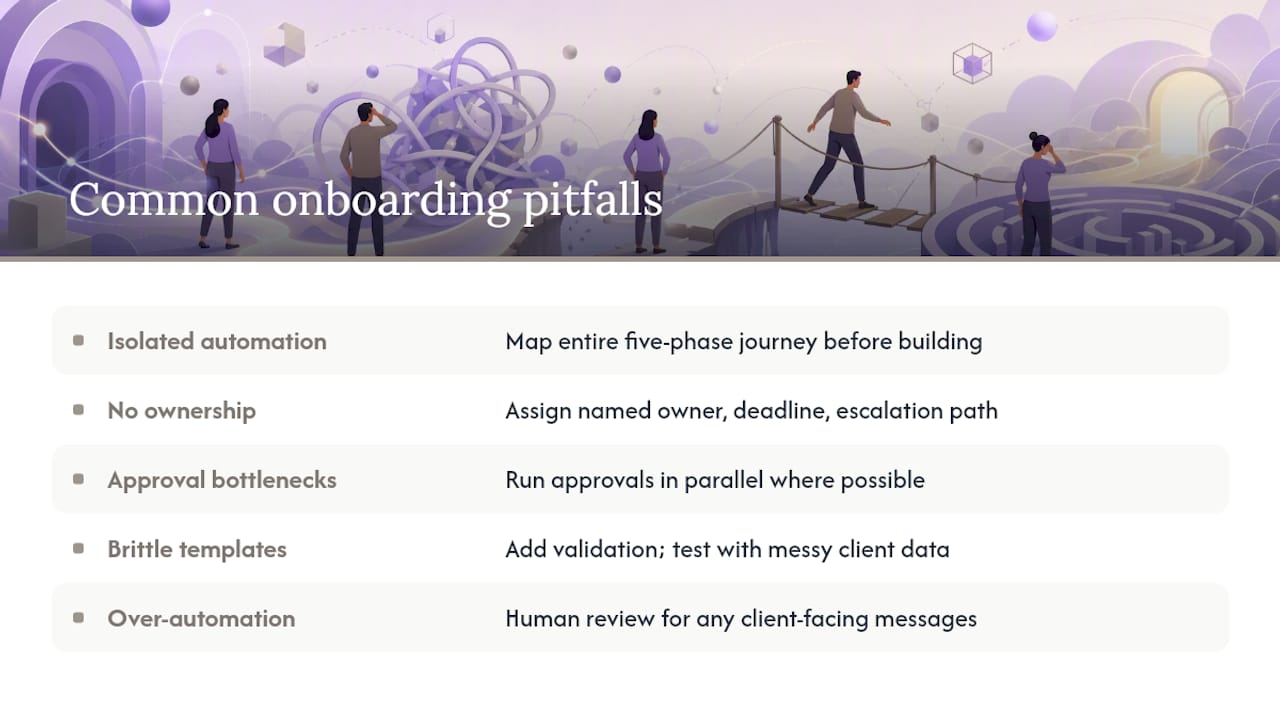
Most onboarding automation failures come from five predictable mistakes, and each one has a straightforward fix.
Automating isolated steps instead of the full journey. A welcome email sequence is not an onboarding workflow. If the system stops after the first email and someone still has to manually create the project and request documents, you've automated 20% of the problem and declared victory too early. Fix this by mapping the entire five-phase journey before building anything.
Missing ownership for automated tasks. When no one owns a phase, work sits untouched even after the automation fires correctly. Assign a named owner and a deadline for every phase, and build in an escalation path if that owner doesn't act within a set window.
Approval bottlenecks that block momentum. Sequential approvals, where the client waits while three internal people sign off one after another, create visible delays. Run approvals in parallel wherever possible.
Brittle templates that break on edge cases. A template built for a standard contract will fail silently the first time a client submits an unusual field format or a multi-entity business structure. Build in validation checks and test with real, messy client data, not just clean sample data.
Over-automating client-facing messages without review. AI can draft a kickoff brief or summarize intake responses efficiently, but anything a client actually reads should get a human glance first. Automation buys speed on internal drafting; it should never replace judgment on outward communication.
Pro Tip: Version your automations the same way you'd version code. Keep a change log of what triggers, fields, and actions changed and when, so when something breaks in production, you can pinpoint exactly which update caused it instead of rebuilding the whole workflow from scratch.
What Security and Compliance Steps Should Be Built In?
Security has to be part of the automation design, not an afterthought bolted on after launch. A handful of controls cover most of what service firms need regardless of jurisdiction.
- Encrypt data in transit and at rest across every tool in your stack, including the automation engine itself.
- Use access controls and audit logs so you can see exactly who touched a client record and when.
- Use scoped, expiring links for document uploads and downloads rather than permanent shared folders. Magic-link systems, like the one Clientloop uses, generate a unique, time-limited link per request instead of a static shared drive.
- Set clear retention and deletion policies for client documents once a matter or engagement closes.
- Handle third-party integrations through OAuth with limited scopes rather than sharing full account credentials between tools.
Build compliance checkpoints directly into the workflow rather than treating them as a separate process. Add a consent field to your intake form so client authorization is captured at the source, and route sensitive documents like KYC or AML evidence through a secure flow instead of email attachments. Regulatory requirements vary significantly by country and industry, so treat any specific legal threshold as a local exception, and consult qualified counsel before finalizing compliance-related automation steps.
How Do You Measure Ongoing Onboarding Success?
Build a compact dashboard rather than tracking everything. Five metrics cover the vast majority of what matters: onboarding volume, time-to-first-value, intake completion rate, number of manual handoffs, and client satisfaction score.
| Metric | How It's Measured | Sample Target |
|---|---|---|
| Time-to-first-value | Days from signature to first working session | Under 2 business days |
| Intake completion rate | Percentage of clients submitting all requested items without a nudge | High |
| Manual handoffs | Count of human touchpoints required per onboarding | Significant reduction from baseline |
| Client satisfaction score | Post-onboarding survey score (1 to 5 scale) | At least 4 |
Calculate your baseline first. Pull the last 20 onboardings your team completed manually, count the touchpoints and days involved, then compare that number against your automated pilot results.
A Ready-to-Use Checklist and Sample Workflow
Here's a checklist mapped to the five phases, with owner assignments you can adapt directly.
- Capture and trigger: sales owns confirming the signed contract or closed-won stage change.
- Contract and activation: operations owns activating the client record and firing the welcome sequence.
- Workspace prep: automation owns creating the project template; a coordinator reviews it within 24 hours.
- Scheduling and communication: the client portal owns sending the intake request; the account manager owns the kickoff call.
- Payment and tracking: finance owns invoice generation and access provisioning confirmation.
For a sample industry workflow, take accountant client onboarding. A new client signs an engagement letter, which triggers a workspace creation in the practice management tool and a document request through Clientloop for identification, prior-year returns, and AML verification documents. The client uploads everything through a single magic link, no account creation required, and the firm's compliance team gets an automatic notification once all documents are approved.
| Field | Source | Destination |
|---|---|---|
| Client name | Intake form | CRM, project template |
| Company registration number | Intake form | Compliance record, document request |
| Contact email | CRM | Welcome email, portal invitation |
Paste these three fields directly into your automation builder's variable mapping to start testing the sequence with a real client this week.
What Have Real Implementations Taught Us?
A few lessons keep showing up across service firms building this out, and most of them run against the instinct to automate everything at once.
Approvals block momentum unless you route them in parallel. The instinct is to build a clean sequential chain: intake, then review, then approval, then kickoff. In practice, that chain is exactly what creates the multi-day silence gap clients complain about. Separating the internal approval track from the client-facing track fixes this almost immediately.
Intake forms need to be short, shorter than most teams think. A 20-field form guarantees a lower completion rate than a 6-field form with a follow-up request for anything additional. The temptation to collect everything up front costs more in abandoned intakes than it saves in back-and-forth later.
Test with real clients before rolling out broadly. Sample data never reveals the edge cases: the client with two email addresses, the company with a hyphenated legal name, the payment that clears a day late. A pilot with five actual clients surfaces more bugs than a month of internal testing with fake records.
Automation buys predictability, not empathy. A consistent, auditable handoff process is genuinely valuable, arguably more valuable than raw speed, because it means clients get the same quality experience whether they signed on a busy Monday or a quiet Friday. But automation can't read a client's tone in an email or sense when someone needs a phone call instead of another template. Keep a human checkpoint where judgment actually matters, and let the system handle everything else.
How Clientloop Handles the Hardest Part of Onboarding
Document collection is usually where onboarding automation stalls, even after everything else is built. Contracts trigger fine, welcome emails send fine, and then the workflow hits a wall waiting on a client to find their ID, a signed W9, or last year's financial statements buried in an email thread.
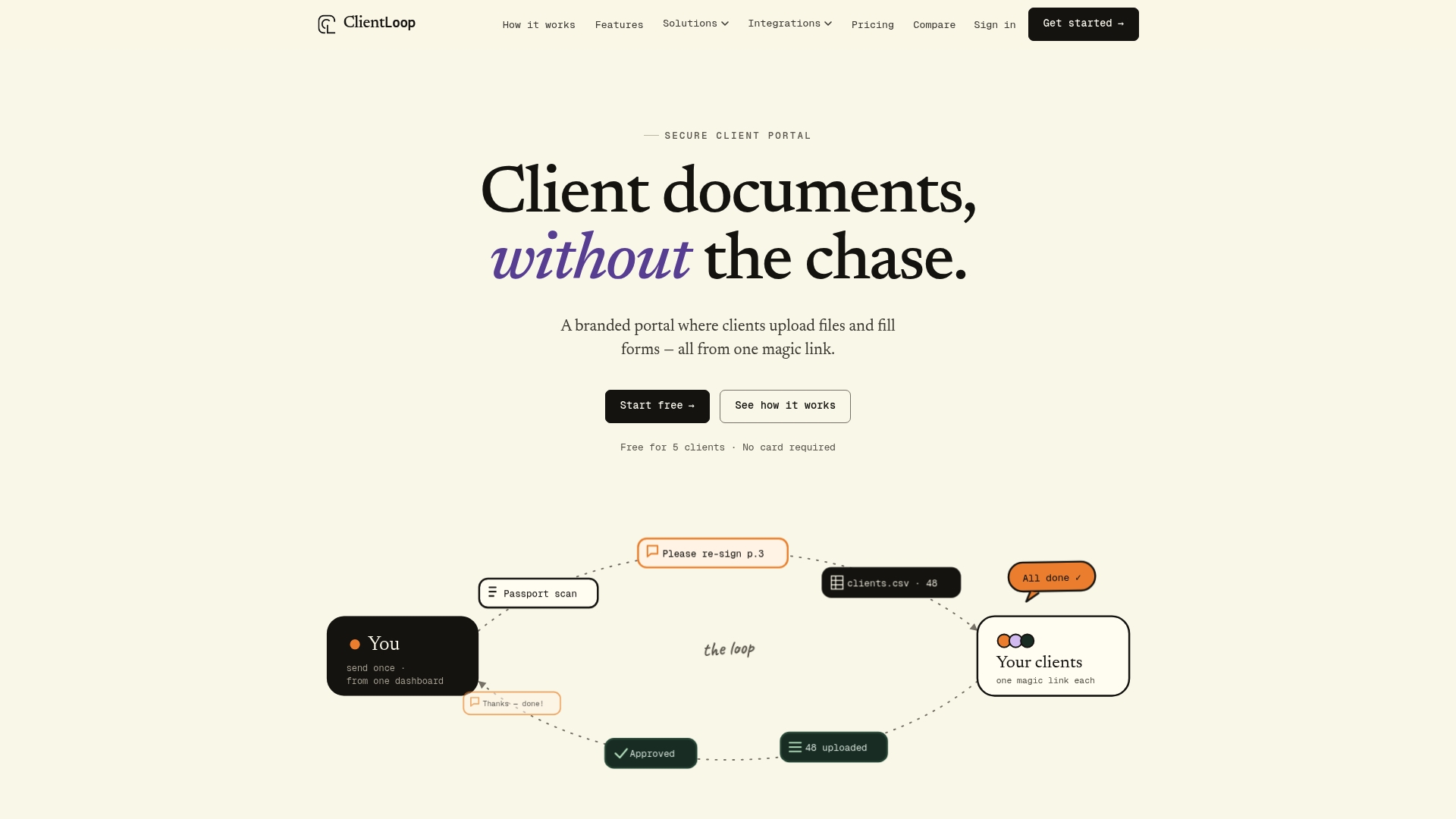
Clientloop solves that specific bottleneck with a passwordless magic-link system: clients get a secure link, upload what's requested, and never need to create an account or remember a password. That single design choice maps directly onto Phase 4 of the framework, scheduling and communication, and removes the manual chasing that eats up the most admin hours in any onboarding cycle. Templated requests mean an accountant, law firm, or agency can send the exact same structured document list to every new client without rebuilding it each time, and automated reminders handle the follow-up so nobody has to send a third "just checking in" email. Firms using Clientloop for document collection automation report saving up to five hours per client each month, time that goes back into billable work instead of email chasing.
If you're building or refining your onboarding stack, start with the piece that costs you the most hours today. For most service professionals, that's document collection. Check out Clientloop's client onboarding document solution to see how templated requests and branded workspaces plug directly into the framework outlined above, and start a trial to see how quickly the first automated onboarding sequence pays for itself.
What Should You Do This Week?
- Set up the contract-signed trigger in your CRM or e-signature tool, and confirm it fires reliably before building anything downstream.
- Build the welcome email, intake form, and scheduler recipe first, since it delivers the fastest visible win.
- Run a 4 to 6 week pilot with one team or service line before rolling the workflow out company-wide.
- Measure time-to-kickoff, manual touchpoints, and intake completion rate against your pre-automation baseline.
- Route document collection through a secure portal like Clientloop instead of email attachments, and track how many hours that removes from your team's week.
Pick one client this week and run the entire five-phase sequence manually first, timing each step. That baseline number is what proves the automation is working once it's live.
Sources
- Automate Client Onboarding: Contract to Kickoff | LOW/CODE
- How to Automate Client Onboarding with AI (2026) — The Solo Consultant Guide | SoloClientStack
- Best Client Onboarding Tools - Wise
- The Power of Automated Customer Onboarding - Mailchimp
Recommended
- Automate client onboarding documents — Structured collection for every new client | ClientLoop
- Accountant client onboarding — Collect ID, accounts & AML documents | ClientLoop
- Employee onboarding document collection — Right to work, contracts & forms | ClientLoop
- Document collection automation — Replace email chaos with structured workflows | ClientLoop