

The right answer for most professional services firms is a branded client portal configured with a signed Business Associate Agreement (BAA), AES-256 (or equivalent) encryption in transit and at rest, enforceable multi-factor authentication or single sign-on, exportable audit logs, and role-based access controls. That combination covers the actual job to be done: collecting sensitive documents, onboarding new clients without friction, routing approvals, and producing evidence if a regulator or client ever asks how their data was handled.
For accountants, law firms, agencies, and consultants, "HIPAA compliant" is shorthand for something more specific: a secure, auditable alternative to email attachments and shared drives. You don't need a hospital-grade patient portal. You need a system that treats client documents the way a bank treats a safe deposit box, not the way a filing cabinet treats a stack of paper.
Before you sign with any vendor, confirm these five things exist and are documented, not just implied in a sales call:
- A signed BAA or equivalent contractual data-protection agreement
- SOC 2 Type II or ISO 27001 audit evidence you can actually review
- Encryption in transit (TLS) and at rest (AES-256 or comparable)
- Exportable, tamper-evident audit logs tied to specific users and timestamps
- Role-based access control with MFA or SSO enforcement
ClientLoop is built around this exact checklist for professional services firms, and it's the vendor referenced throughout this guide as the practical fit for accountants, law firms, and agencies that need compliance rigor without an enterprise IT budget.
Key Takeaways
A compliance-ready client portal succeeds when it pairs a signed BAA and strong encryption with role-based access, exportable audit logs, and a rollout plan clients will actually follow.
| Point | Details |
|---|---|
| Require a signed BAA first | No BAA, no deal. Treat it as a disqualifier, not a negotiation point. |
| Verify audit evidence exists | Ask for SOC 2 Type II or ISO 27001 reports before, not after, signing. |
| Prioritize exportable audit logs | You need timestamp, user, and IP data ready within hours, not days. |
| Pilot before full rollout | Start with 10 clients and default new engagements to portal-only. |
| ClientLoop fits this checklist | Passwordless magic links, templated requests, and branded workspaces reduce chasing while supporting BAA-backed compliance workflows. |
Table of Contents
- What Makes a Client Portal Actually HIPAA-Ready?
- How Does a Portal Actually Support Compliance Workflows?
- Rolling Out a Portal Without Losing Client Cooperation
- What Does the Math Actually Look Like?
- What Should You Ask Before Signing a Contract?
- Why Security Alone Won't Save You
- Where ClientLoop Fits for Compliance-Heavy Firms
- Frequently Asked Questions
- Sources
What Makes a Client Portal Actually HIPAA-Ready?
A portal that calls itself secure and a portal that can prove it are two different products. Vendors will happily tell you their platform is "encrypted" and "compliant" on a sales call. Your job is to make them show the paperwork.
Contractual requirements come first. A signed BAA (or equivalent data-protection addendum for firms outside healthcare-adjacent work) should be non-negotiable, along with right-to-audit language, clear data deletion and export clauses, and full disclosure of any subcontractors who touch client data. If a vendor hesitates on any of these, that hesitation is the answer.
Technical controls come second. Client portals should offer AES-256 encryption at rest, TLS in transit, and multi-factor authentication as baseline protections, not premium add-ons. Session timeouts and enforced password policies round out the minimum bar. Some higher-assurance portals go further with browser-side encryption options, meaning even the provider can't read plaintext files without deliberate key access.
Access and audit controls come third. Role-based access control, per-document permissions, and per-link expiry with revocation rights all matter, because a document link that never expires is a liability sitting in someone's inbox forever. Audit logs need to be exportable, tamper-evident, and specific: timestamp, actor identity, and originating IP address, not a vague "activity feed."
Operational controls come fourth. Ask for SOC 2 Type II or ISO 27001 evidence, a documented pen test cadence, and a written incident response plan. Vendors should be able to provide SOC 2 reports and pen test summaries on request, and a firm that can't produce these within a business day or two probably doesn't have them in usable form.
| Trust Signal | Why It Matters | Question to Ask the Vendor |
|---|---|---|
| Signed BAA | Establishes contractual liability for data handling | "Will you sign our BAA before onboarding begins?" |
| SOC 2 Type II / ISO 27001 | Independently verified security controls | "Can you share your latest audit report under NDA?" |
| AES-256 encryption at rest | Protects stored files even if a database is breached | "Is encryption enabled by default or configurable?" |
| Exportable audit logs | Gives you evidence during an inquiry or dispute | "Can I export logs with user, action, and IP in one file?" |
| RBAC and MFA/SSO | Limits exposure if credentials are compromised | "Can we enforce MFA firm-wide, not per-user opt-in?" |
Pro Tip: Before signing any contract, run a 48-hour test: ask the vendor to produce a signed BAA and a sample 90-day exportable access log. If they can't deliver both inside two business days, that's a preview of how they'll respond when you actually need it during an audit.
Firms that skip this diligence often discover the gap only when a client asks "who else can see my files?" and nobody has a confident answer.
How Does a Portal Actually Support Compliance Workflows?
Security controls only matter if they show up inside workflows your staff and clients use every week. Here's where the checklist becomes daily reality.
Onboarding starts with templated request lists tied to the engagement type, engagement-letter e-signature, and identity confirmation through MFA enrollment. A new client doesn't need to guess what to send. They see a checklist, upload against it, and sign where required, all inside one branded interface.
Document collection works best as checklist-based intake with named line items rather than an open upload folder. Each item should carry its own controls: expiry dates, revocation ability, and download limits. Status states like "Not uploaded," "Uploaded," and "Approved" turn a folder into a workable system. A structured intake approach can replace many back-and-forth emails per client during a busy season, which is the difference between a smooth quarter and a burned-out team.

Approvals and signatures happen inside the same record. In-portal e-signature workflows capture timestamp, IP address, and the signed PDF directly in the engagement file, so there's no separate tool to reconcile later.
Auditability ties it together. Exportable logs mean that if a client disputes what they submitted, or a regulator asks about your data-handling practices, you can respond within 24 to 72 hours instead of scrambling through email threads. Centralizing document exchange in an access-controlled portal turns what used to be scattered evidence into a single, defensible record.
A few workflow patterns that consistently work:
- Build one request template per service line (tax organizer, KYC checklist, legal intake form) instead of a generic catch-all.
- Set automatic reminders at fixed intervals rather than manually chasing non-responders.
- Require e-signature on engagement letters before document requests unlock, so scope is confirmed first.
- Export a compliance log monthly, not just when an incident forces you to look for one.
Rolling Out a Portal Without Losing Client Cooperation
A secure portal that clients refuse to use isn't a compliance solution. It's shelfware with a nice login page. Rollout has to be sequenced so the technical migration and the human adoption happen together.
Start with vendor evaluation: shortlist two or three options, review the BAA language line by line, and request SOC 2 or pen test evidence before signing anything. Check the integrations list against what you already run, whether that's billing software, a CRM, or practice management tools.
Move into a pilot once the contract is signed. Adoption tactics that work include a soft launch with a small number of clients, starting with your most tech-comfortable "Tier A" clients before expanding firm-wide. Pair that with staff training and short client walkthroughs, ideally under 15 minutes, plus a one-page guide and a launch email that sets expectations plainly.

Configuration matters as much as the pilot itself. Build templates by service line, set retention policies, wire up e-signature for engagement letters, and define offboarding controls before a single real client document lands in the system.
| Phase | Estimated Timeline | Key Activities |
|---|---|---|
| Vendor evaluation | 1 to 2 weeks | BAA review, security evidence, integration check |
| Configuration and pilot | 2 to 4 weeks | Templates, staff training, Tier A client rollout |
| Full rollout | 2 weeks | Firm-wide launch, adoption tracking, follow-up outreach |
Assign one person as portal admin who owns escalation when uploads go missing, and track weekly adoption metrics so slow starts get caught early, not discovered at tax season.
Pro Tip: Default every new engagement to portal-only from day one. Existing clients can transition gradually, but breaking the email habit is far easier with new relationships that never learned it in the first place.
What Does the Math Actually Look Like?
Pricing for these platforms typically runs per-seat or per-firm, with add-ons for extra admin seats, integrations, and sometimes onboarding services. Before comparing sticker prices, model what you're actually buying: time saved, not just software cost.
Estimate hours saved per client per month by chasing fewer documents and resending fewer requests, then multiply by your team's effective hourly rate. A firm handling 50 active clients that saves even two hours per client monthly is looking at 100 reclaimed staff hours, which typically dwarfs the subscription cost within the first billing cycle.
Beyond raw time, factor in reduced regulatory risk exposure, fewer late filings caused by missing documents, and better client retention, since clients notice when a firm's process feels organized versus chaotic. Watch for hidden costs too: storage overages, per-integration fees, and support tiers that gate API access behind a higher plan. Negotiate for a trial period and SLA credits if uptime commitments aren't met.
What Should You Ask Before Signing a Contract?
Bring these questions into every vendor demo, and write down the answers so you can compare vendors side-by-side instead of relying on memory afterward.
- Do you support AES-256 encryption at rest and TLS 1.2 or higher in transit?
- Can MFA or SSO be enforced firm-wide, not left as an individual opt-in?
- Can we export raw audit logs including timestamp, user, IP address, and action taken?
- Where are your data centers located, and what's your backup cadence?
- Does your team have provider-side access to plaintext files, or is browser-side encryption available?
- What's your key rotation policy?
- Will you sign our BAA, and what's your incident response notification timeline?
- Which subcontractors have data access, and under what contractual terms?
- How often do you run penetration tests and vulnerability scans?
- Can you share a recent SOC 2 Type II or ISO 27001 report under NDA?
- What happens to our data, and our clients' data, when we offboard?
| Question Category | What a Strong Answer Sounds Like |
|---|---|
| Encryption | "AES-256 at rest, TLS 1.2+, browser-side option available" |
| BAA and legal | "Yes, standard BAA within 48 hours of request" |
| Audit evidence | "SOC 2 Type II report available under NDA immediately" |
| Data offboarding | "Full export plus deletion confirmation within 30 days" |
If a vendor answers most of these with confidence and documentation, you've found a real contender. If they answer with marketing language instead of specifics, keep looking.
Why Security Alone Won't Save You
Firms often treat portal selection as a security exercise, and it's understandable given how much this guide has focused on encryption standards and audit trails. But I'd argue the harder problem isn't finding a portal with strong controls. It's finding one your clients will actually use instead of replying to your secure request with an email attachment anyway.
Adoption is consistently the hardest part of this transition, and it's the part most procurement checklists ignore entirely. A portal with perfect encryption and zero client logins delivers zero compliance benefit, because the sensitive documents never entered the system in the first place. That's not a hypothetical risk. It's the default outcome unless the rollout is designed around habit change, not just technical deployment.
The firms that get this right treat security and usability as the same project, not sequential ones. They pilot with a small group, they default new engagements to portal-only, and they measure adoption weekly instead of assuming a launch email did the job. The evidence you'll need during an audit, an exported access log and a signed BAA, only exists if clients were actually using the system when it mattered. Choose the portal that clients will tolerate, not just the one that scores highest on a feature checklist.
Where ClientLoop Fits for Compliance-Heavy Firms
ClientLoop is the alternative to chasing documents by email for firms that need both compliance rigor and a client experience people actually complete. Where generic file-sharing tools force clients to create accounts and remember passwords, ClientLoop uses passwordless "magic link" access, which removes the single biggest reason clients abandon a portal halfway through onboarding.
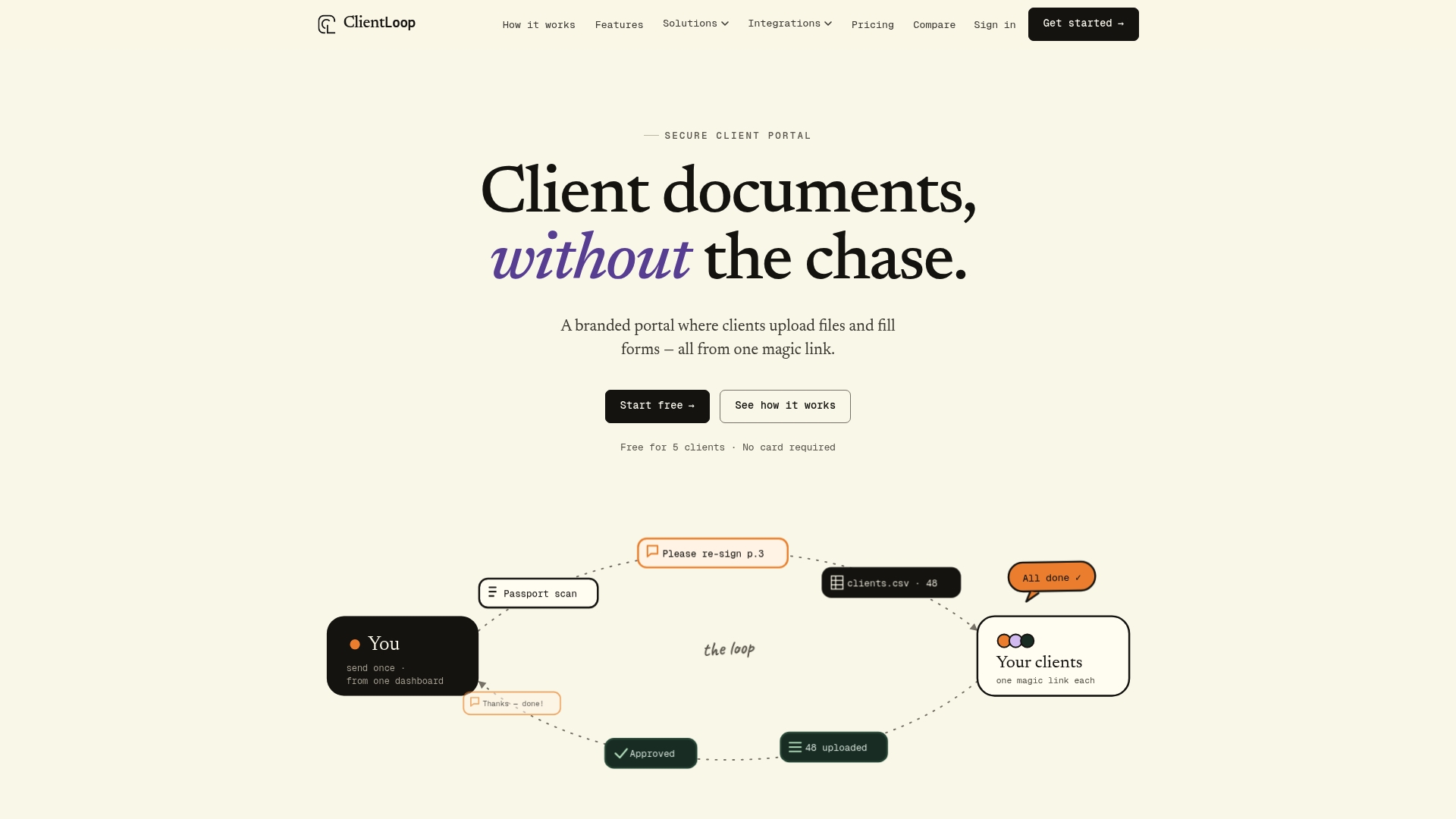
The feature set maps directly onto the checklist covered above: branded client workspaces preserve your firm's identity instead of a generic vendor login screen, template-based requests per client type replace one-size-fits-all upload folders, and bulk send via CSV handles onboarding dozens of clients at once during busy season. Automated reminders chase non-responders so your staff doesn't have to, and review and approval tracking keeps a documented trail for every engagement.
For firms running compliance-heavy intake, whether that's accountant client onboarding with AML documentation or legal document requests requiring signed forms and ID verification, ClientLoop's compliance document request tools are built around exactly this workflow. Integrations with Slack, Asana, Zapier, and n8n mean the portal fits into systems you already run instead of becoming another disconnected tool.
To pilot ClientLoop, start with one service line, a handful of test clients, and your security contact ready to review the BAA and audit documentation. Visit the client document portal page to see how requests, uploads, and approvals work together. Set up your first template before your next onboarding cycle begins.
Frequently Asked Questions
Does a client portal need to be "HIPAA compliant" for a law firm or accounting practice? Outside of healthcare-adjacent work, most professional services firms need contractual and technical safeguards equivalent to HIPAA standards, such as a BAA-style agreement, encryption, and audit logs, rather than literal HIPAA certification.
What's the minimum encryption standard to require? Look for AES-256 or comparable encryption at rest and TLS 1.2 or higher in transit, with browser-side encryption as a bonus for especially sensitive document types.
How long does a portal rollout typically take? Vendor evaluation usually takes one to two weeks, configuration and piloting another two to four weeks, and full rollout two to six weeks depending on client volume.
Can a secure client portal replace e-signature tools too? Many portals, including ClientLoop, support in-portal e-signature for engagement letters and approvals, which keeps the signed record inside the same compliance trail as the documents themselves.
What should firms watch for as a red flag during vendor demos? Vague answers about audit log exportability, reluctance to sign a BAA, or an inability to produce SOC 2 or pen test evidence within a reasonable timeframe all signal a vendor that isn't ready for compliance-sensitive work.
This article provides general information for evaluating client portal vendors and does not constitute legal or compliance advice. Confirm specific regulatory requirements with your firm's legal counsel or compliance officer.
This article is general information, not a substitute for advice from a qualified lawyer. Consult a qualified legal professional about your own circumstances before acting on anything here.
Sources
- Secure Client Portals for Firm Efficiency & Retention
- Client Portal for Accountants and CPA Firms: What to Require
- How to Build a Client Portal for Your Accounting Firm | Deelo Blog